The Best Car HUD Displays of 2026: What to Look for Before You Buy
The car HUD market has exploded in 2026. With dozens of options ranging from budget-friendly GPS units to feature-packed OBD2 displays, choosing the right one can feel overwhelming. Whether you're a daily commuter, a long-haul driver, or a tech enthusiast, this guide breaks down exactly what to look for — so you can buy with confidence.
What Is a Car HUD?
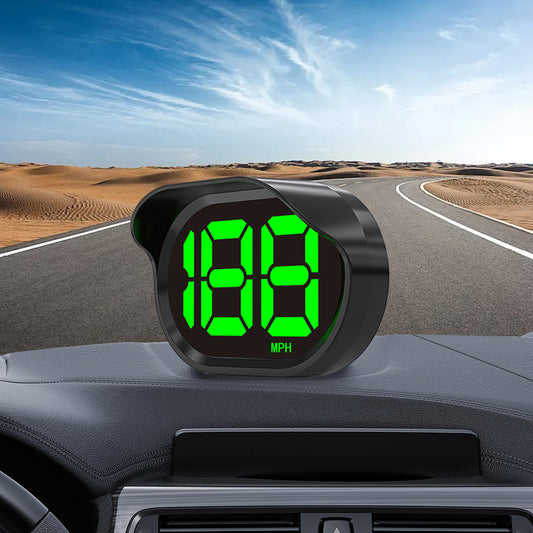
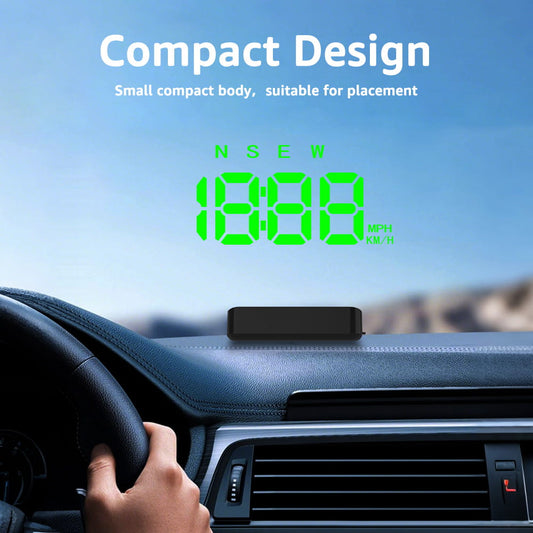
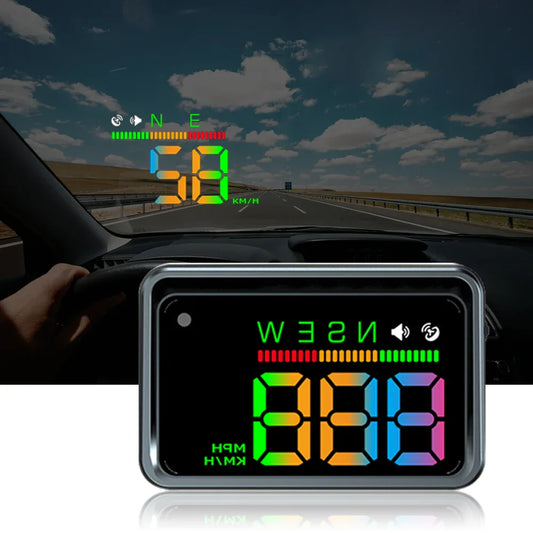
A Head-Up Display (HUD) projects driving data — speed, navigation, engine stats — directly into your line of sight on the windshield or a transparent combiner screen. The result: less time looking down, more time focused on the road ahead.
The 7 Key Factors to Evaluate Before Buying
1. Display Type: Windshield Projection vs. Combiner Screen
There are two main display methods:
- Windshield projection: Projects directly onto the glass. Cleaner look, but can cause double images on certain windshields (especially tinted or heated glass).
- Combiner screen: Uses a small transparent panel that folds up from the unit. Works on any windshield, sharper image, easier to read in daylight.
Recommendation: If you're unsure about your windshield compatibility, choose a combiner screen model.
2. Data Source: GPS vs. OBD2 vs. Hybrid
- GPS HUD: True ground speed, navigation support, works on any car. Best for navigation-focused drivers.
- OBD2 HUD: Reads engine data (RPM, temperature, fault codes) directly from your car's ECU. Best for performance and diagnostics.
- Hybrid HUD: Combines both GPS and OBD2. Best overall data coverage — ideal if you want everything in one device.
3. Brightness and Daylight Visibility
A HUD is useless if you can't read it in bright sunlight. Look for:
- Brightness of 10,000 cd/m² or higher for windshield projection models
- Auto-brightness adjustment (adapts to ambient light conditions)
- Anti-glare coating on combiner screens
Always check user reviews specifically mentioning daytime visibility before purchasing.
4. Display Size and Information Density
Bigger isn't always better — it depends on your dashboard space and how much data you want at a glance.
- 3–4 inch displays: Compact, show speed + 1–2 data points. Great for minimalists.
- 5–6 inch displays: Show speed, RPM, navigation, temperature simultaneously. Better for data-heavy users.
5. Navigation and App Integration
Some HUDs connect to your smartphone via Bluetooth or Wi-Fi to mirror navigation from Google Maps or Waze. Key things to check:
- Does it support your preferred navigation app?
- Is the connection stable, or does it drop frequently?
- Does it display turn-by-turn arrows clearly?
6. Installation and Setup
The best HUDs are plug-and-play:
- GPS HUDs: Power via 12V cigarette lighter socket. Setup in under 5 minutes.
- OBD2 HUDs: Plug into the OBD2 port (under the dashboard). Some also need a 12V connection for the display unit.
Avoid models that require permanent wiring or professional installation unless you specifically want a built-in look.
7. Build Quality and Warranty
Your HUD sits on the dashboard and faces daily heat, vibration, and UV exposure. Look for:
- Heat-resistant housing (rated for 70°C / 158°F or higher)
- Anti-slip base or adhesive mount included
- At least a 12-month warranty from the manufacturer
- Responsive customer support
Quick Comparison: HUD Types at a Glance
| Feature | GPS HUD | OBD2 HUD | Hybrid HUD |
|---|---|---|---|
| True Speed Accuracy | ✅ Yes | ❌ No (factory offset) | ✅ Yes |
| Engine Diagnostics | ❌ No | ✅ Yes | ✅ Yes |
| Navigation Support | ✅ Yes | ❌ No | ✅ Yes |
| Works in Tunnels | ❌ No | ✅ Yes | ✅ Partial |
| Price Range | $15–$80 | $40–$120 | $80–$200+ |
| Best For | Navigation & speed | Performance & diagnostics | All-in-one drivers |
Red Flags to Avoid When Shopping
- 🚩 No brightness specs listed — likely poor in daylight
- 🚩 No warranty or less than 6 months
- 🚩 No user reviews mentioning real-world use
- 🚩 Claims "works with all OBD2 cars" without listing tested models
- 🚩 Extremely low price with no brand information
Final Buying Advice
The best HUD for you depends on your priorities:
- Just want speed + navigation? → A quality GPS HUD is all you need.
- Want engine data and diagnostics? → Go OBD2.
- Want everything? → Invest in a hybrid model — it's worth it for daily drivers who want maximum awareness.
Whatever you choose, make sure it's bright enough for your climate, compatible with your windshield, and backed by a solid warranty.
Ready to find your perfect HUD? Browse our curated selection of top-rated GPS and OBD2 Head-Up Displays — tested for real-world performance and built to last.