KUOWEIHUD
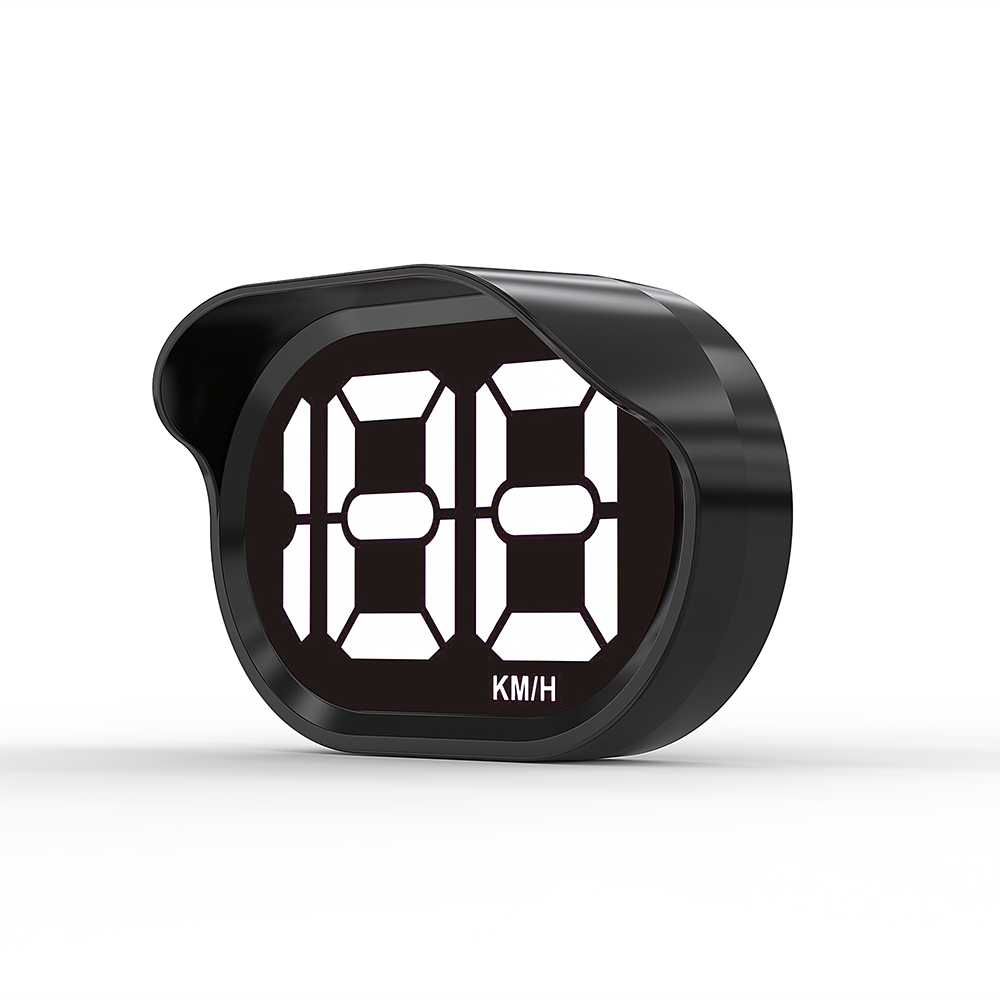
Installation Guide: K2 Speedometer
Thank you for purchasing the K2 GPS Speedometer. This guide is designed to help you install your new aftermarket speedometer, safely, and correctly. Please read through all instructions before beginning the installation to ensure optimal performance and safety.
How to Install
- Before installation, please drive your car to outdoor places, not in garages or indoors, and open your car window;
- Plug the USB cable into your car USB interface, and plug the other end into your speedometer;
- Put it on the dashboard, start up your car, please wait for 1-3 minutes, After 0 appeared, it is successful to install.

FAQ
Does it do MPH and KM/H, or just MPH please?
- The K2 Speedometer only displays MPH, and the speed unit cannot be adjusted
Why does the screen sometimes show "__" or no speed?
- This usually means the Car Speedometer is temporarily not receiving Gps signal. Please drive in an open area with a clear view of the sky.
- Please use our provided cable, not yours. Because the current of the power cord is different
Will it work in tunnels or underground garages?
- This is a GPS-based speedometer for cars, so signal may be temporarly lost in tunnels or underground garages. This is normal for all Gps devices
Why is the speed sometimes inaccurate or 1–2 MPH off?
- K2 uses GPs satelite data to calculate speed. Minor diferences (1-2 MPH) may occur due to Gps signal strength, road conditions, or weather
This is normal for GPS-based devices and similar to smartphone GPs speed readings.
Can I calibrate the speed reading?
- No. K2 Speedometer does not support speed calibration.
- The speed is calculated directly from GPS data for simplicity and ease of use.
Speedometer Broken?
👇 👇 👇 Here’s the Perfect Fix 👇 👇 👇

K2 Digital GPS Speedometer for Car Truck
Regular price
$14.99 USD
Regular price
$14.99 USD
Sale price
$14.99 USD
Shipping calculated at checkout.
Quantity