Car HUD Display Explained: Features, Advantages, and Installation Guide
Modern vehicles are becoming smarter with advanced technology designed to improve safety, convenience, and driving comfort. One of the most popular upgrades for today’s drivers is the Car HUD Display (Head-Up Display).
A HUD display allows drivers to view important driving information—such as speed, navigation data, and alerts—without constantly looking down at the dashboard. Whether you drive a new vehicle or an older car, an aftermarket HUD can provide a simple way to upgrade your driving experience.
In this guide, we’ll explain what a car HUD display is, how it works, its key features, benefits, and how easy it is to install.
What Is a Car HUD Display?
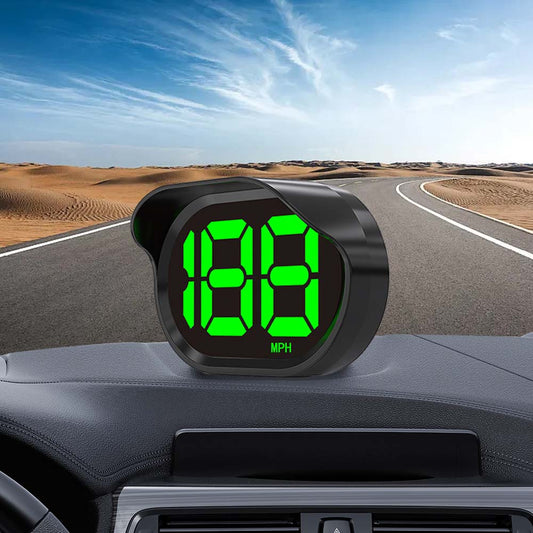
A Car HUD (Head-Up Display) is a smart driving device that displays essential information within the driver’s line of sight, usually on the windshield or a transparent screen.
Instead of looking down at traditional dashboard gauges, drivers can quickly check important data while keeping their eyes focused on the road.
Common information displayed by a HUD includes:
- Real-time vehicle speed
- GPS speed data
- Driving time
- Mileage information
- Navigation assistance
- Overspeed warnings
- Engine information (OBD2 models)
- Safety alerts
A car HUD works like a digital assistant, helping drivers access important information faster and reducing unnecessary distractions.
How Does a Car HUD Display Work?
Most aftermarket HUD displays use one of two main technologies:
1. GPS-Based HUD Display
GPS HUD systems calculate vehicle speed using satellite positioning.
Advantages:
✔ Works with almost any vehicle
✔ No connection to the vehicle computer required
✔ Easy plug-and-play installation
✔ Accurate speed measurement even after tire modifications
GPS HUD displays are especially popular for:
- Older vehicles
- Classic cars
- Trucks
- Vehicles without advanced infotainment systems
2. OBD2 HUD Display
OBD2 HUD devices connect directly to the vehicle’s diagnostic port.
They can display additional vehicle data such as:
- Engine RPM
- Coolant temperature
- Battery voltage
- Fuel consumption
- Fault codes
Advantages:
✔ Access to real-time vehicle data
✔ More information than a standard speed display
✔ Ideal for newer vehicles
Key Features of Modern Car HUD Displays
When choosing a HUD display, these features are worth considering:
1. Clear Digital Speed Display
A high-quality HUD provides a large, easy-to-read speed display that remains visible in different lighting conditions.
This is especially helpful when:
- Driving at night
- Driving on highways
- Checking speed limits frequently
2. GPS Speed Accuracy
GPS-based HUD displays provide accurate speed readings by using satellite signals.
Benefits include:
- No complicated wiring
- No calibration required
- Works across different vehicle types
3. Overspeed Warning Alerts
Many modern HUD displays include customizable speed warnings.
These alerts help drivers:
- Maintain safer speeds
- Avoid accidental speeding
- Stay more aware during long drives
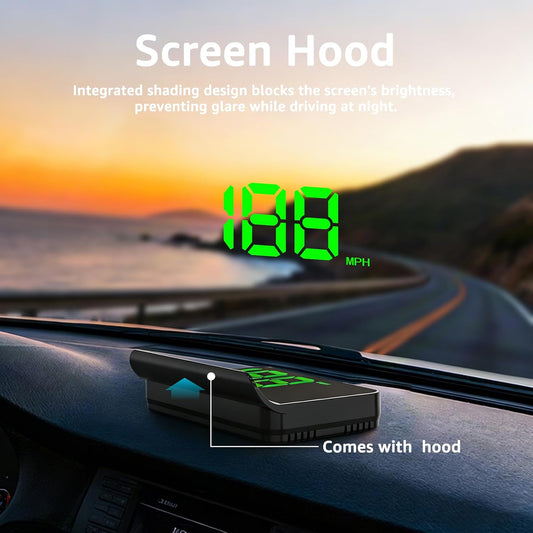
4. Automatic Brightness Adjustment
A good HUD automatically adjusts brightness based on surrounding light.
During the day:
- Bright display for sunlight visibility
At night:
- Reduced brightness to prevent distraction
5. Plug-and-Play Installation
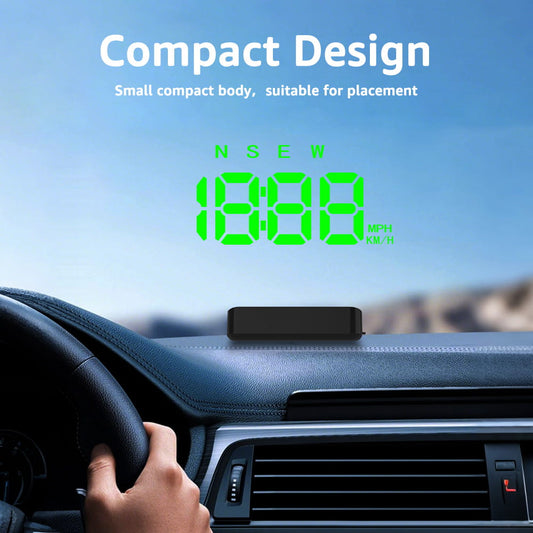
One of the biggest advantages of aftermarket HUD displays is simple installation.
Most models only require:
- Connect the power cable
- Place the HUD unit on the dashboard
- Wait for GPS connection
- Adjust the display angle
No professional installation or vehicle modification is required.
Benefits of Using a Car HUD Display
1. Improved Driving Safety
A HUD helps reduce the time your eyes spend looking away from the road.
Drivers can check speed and alerts while maintaining better road awareness.
2. Better Visibility Than Traditional Gauges
Some older vehicles have:
- Dim dashboards
- Small speedometers
- Hard-to-read displays
A modern HUD provides a clearer and larger digital view.
3. Easy Upgrade for Older Cars
You don’t need to replace your vehicle to enjoy smart driving features.
A portable HUD can add modern technology to:
- Classic cars
- Older sedans
- Pickup trucks
- Family vehicles
4. More Comfortable Long-Distance Driving
For highway driving and road trips, a HUD provides useful information without requiring frequent dashboard checks.
How to Install a Car HUD Display
Installing a HUD is usually quick and simple.
Step 1: Choose the Installation Location
Place the HUD:
- On the dashboard
- Near the windshield
- Within your natural viewing area
Step 2: Connect Power
Most HUD devices use:
- USB power
- 12V cigarette lighter adapter
- OBD2 port connection
Step 3: Connect GPS or Vehicle Data
For GPS HUD models:
- Wait for satellite connection
- The device automatically detects speed
For OBD2 models:
- Connect to the vehicle’s OBD port
- Follow setup instructions
Step 4: Adjust Display Settings
Customize:
- Brightness
- Speed units (MPH/KM/H)
- Warning settings
- Display position
After setup, the HUD is ready to use.
Who Should Buy a Car HUD Display?
A HUD display is a great upgrade for drivers who:
✔ Want a modern dashboard experience
✔ Drive an older vehicle
✔ Need a more visible speed display
✔ Take frequent road trips
✔ Want additional driving safety features
Final Thoughts
A Car HUD Display is one of the easiest ways to upgrade your vehicle with modern technology. By providing real-time speed information, alerts, and improved visibility, HUD systems help create a safer and more comfortable driving experience.
For drivers looking for a simple upgrade without replacing their dashboard, a GPS-based HUD display like KUOWEIHUD K1 offers an affordable, plug-and-play solution that works with almost any vehicle.

A smarter dashboard starts with better visibility—and a car HUD makes that upgrade possible.