How GPS Head-Up Displays Work — No OBD2 Port Required
The Problem with OBD2-Dependent HUDs
For years, the most common type of car head-up display required a connection to your vehicle's OBD2 diagnostic port — a small socket typically found beneath the steering column. While OBD2 HUDs offer rich data like engine RPM, coolant temperature, and fault codes, they come with a significant limitation: compatibility.
Not every car plays nicely with every OBD2 HUD. Older vehicles, some European models, and certain hybrid or electric cars can experience read errors, slow data refresh rates, or outright incompatibility. Installation can also be fiddly, with cables running across the dashboard and potential interference with other vehicle systems.
Enter the GPS Head-Up Display — a cleaner, smarter, and universally compatible alternative that requires absolutely no wiring, no port connection, and no vehicle-specific configuration.
How a GPS HUD Actually Works
A GPS head-up display operates entirely independently of your car's onboard electronics. Instead of reading data from the vehicle's ECU, it uses satellite positioning technology — the same system that powers your smartphone's navigation app — to calculate real-time speed, direction, altitude, and time.
Here's the process in simple terms:
- Satellite acquisition: The HUD's built-in GPS receiver locks onto signals from multiple satellites orbiting the Earth. Most modern GPS HUDs acquire a signal within 30–60 seconds of being powered on.
- Position calculation: By measuring the time it takes for signals to travel from multiple satellites, the device calculates your precise location and how quickly that location is changing — which is your speed.
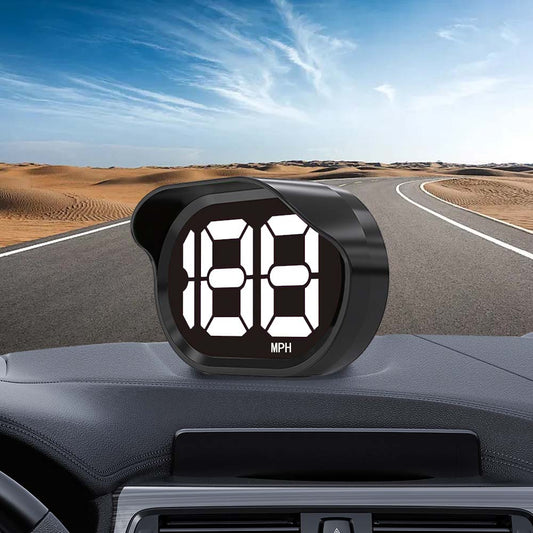
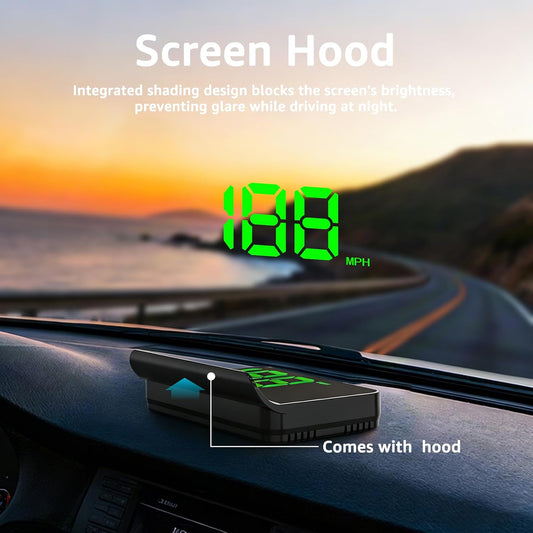
- Real-time display: The calculated speed, compass heading, and other data are projected onto a reflective screen or directly onto your windshield, placing the information directly in your line of sight.
- Continuous update: The GPS receiver updates your speed and position multiple times per second, ensuring the display stays accurate even during rapid acceleration or braking.
What Data Does a GPS HUD Display?
Despite not being connected to your car, a quality GPS head-up display can show a surprisingly comprehensive set of information:
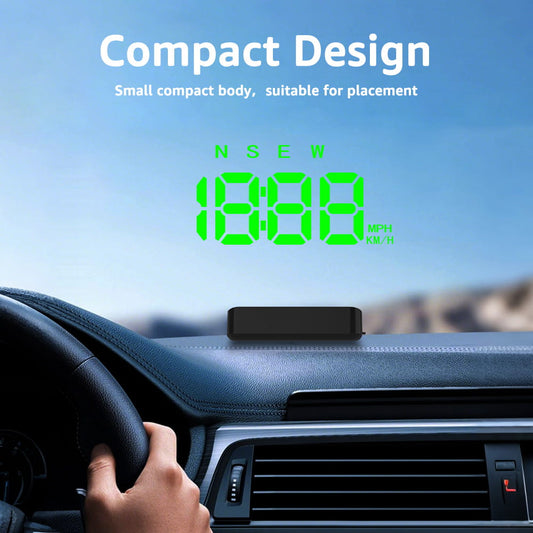
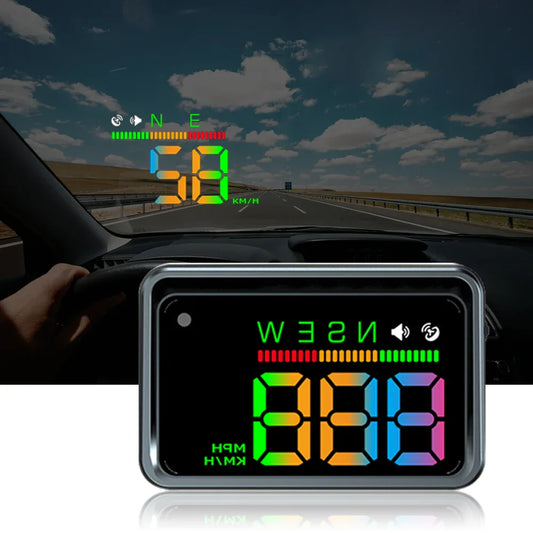
- Real-time speed — in MPH or KM/H, switchable at the press of a button
- Compass direction — N, S, E, W and intermediate headings so you always know which way you're facing
- Time — automatically synced via GPS satellite signal, no manual setting required
- Speed alarm — set a custom threshold and receive an instant visual (and sometimes audible) alert when you exceed it
- Altitude — useful for mountain driving or off-road adventures
- Trip distance — track how far you've driven on a single journey
GPS HUD vs. OBD2 HUD: Which Is Right for You?
Both technologies have their place, but GPS HUDs win on simplicity and compatibility. Here's a quick comparison:
| Feature | GPS HUD | OBD2 HUD |
|---|---|---|
| Installation | Plug into 12V socket, done | Requires OBD2 port connection |
| Compatibility | Works with any vehicle | Varies by car make and model |
| Speed data source | Satellite | Vehicle ECU |
| Engine diagnostics | No | Yes (RPM, temp, fault codes) |
| Setup time | Under 2 minutes | 5–15 minutes |
| Cable clutter | None | Possible |
If you simply want accurate speed display, a speed alarm, and compass direction without any installation hassle, a GPS HUD is the clear winner. If you need engine diagnostics and your vehicle is fully compatible, an OBD2 HUD adds extra value.
Is GPS Speed Accurate Enough?
This is the most common question drivers ask — and the answer is yes, for all practical driving purposes.
Modern GPS receivers used in automotive HUDs are accurate to within 1–2 km/h under normal conditions. In open areas with clear sky visibility, accuracy is excellent. In dense urban canyons or tunnels where satellite signals are temporarily blocked, there may be a brief lag — but the display recovers quickly once the signal is reacquired.
For comparison, your car's factory speedometer is legally permitted to read up to 10% higher than your actual speed in many countries. A GPS HUD is often more accurate than your dashboard speedo.
Installation: Genuinely Plug and Play
One of the biggest advantages of a GPS HUD is how effortless the setup is:
- Place the HUD unit on your dashboard in a position that projects onto the windshield or use the included reflective screen
- Connect the power cable to your car's 12V cigarette lighter socket
- Power on and wait 30–60 seconds for GPS satellite lock
- Adjust brightness, speed unit (MPH/KM/H), and speed alarm threshold to your preference
That's it. No tools, no wiring, no compatibility checks. Move it between vehicles in seconds — ideal for drivers who use multiple cars or want to use the same HUD in a rental.
Who Should Buy a GPS Head-Up Display?
A GPS HUD is the right choice for:
- Drivers of older vehicles without a compatible OBD2 port or with limited ECU data
- Motorcycle and van drivers who want speed awareness without dashboard modifications
- Frequent travellers who rent cars and want a consistent HUD experience across different vehicles
- Speed-conscious commuters who want a simple, always-on speed alarm to avoid fines
- Anyone who values clean, cable-free installation without compromising on display quality
Final Verdict
GPS head-up displays have matured into a genuinely compelling alternative to OBD2-connected units. They're faster to install, compatible with every vehicle on the road, and accurate enough for everyday driving — all while delivering the core benefits of a HUD: eyes-up speed awareness, speed alarm protection, and compass navigation at a glance.
If you've been put off by the complexity of OBD2 HUDs or simply want a no-fuss upgrade to your driving experience, a GPS HUD is the answer. Browse our range of GPS Head-Up Displays and find the right model for your vehicle today.
Cover image generated by AI for illustrative purposes only.