OBD2 Gauge Display Not Working? Common Causes and Fixes
An OBD2 gauge display helps drivers monitor vehicle information such as speed, engine RPM, coolant temperature, and voltage, depending on vehicle compatibility. If your OBD2 gauge display is not working, showing incorrect readings, or failing to connect, several common issues may be responsible. Here are practical troubleshooting steps to help you identify the problem.
1. Check the OBD2 Connection
A loose connection is one of the first things to check. Make sure the OBD2 connector is fully inserted into your vehicle's diagnostic port.
How to fix it:
-
Turn off the ignition before reconnecting the device.
-
Disconnect and firmly reconnect the OBD2 cable.
-
Inspect the connector and cable for visible damage.
2. The Display Will Not Turn On
If your OBD2 gauge display has a blank screen, it may not be receiving power. Some vehicles supply power through the OBD2 port even when the ignition is off, while others behave differently.
How to fix it:
-
Check whether the ignition is in the required position.
-
Inspect the cable and connector for damage.
-
Consult your vehicle manual to check the OBD2 port's power supply.
-
If the device still will not turn on, contact the manufacturer for further assistance.
3. The Display Cannot Connect to Your Vehicle
Not every OBD2 gauge works with every vehicle. Some vehicles use different communication protocols, and supported data can vary by make, model, and year.
How to fix it:
-
Confirm that your vehicle is compatible with the display.
-
Check the product manual for supported OBD2 protocols.
-
Follow the manufacturer's startup and connection instructions.
-
Contact technical support if the device cannot establish communication.
4. Incorrect Speed or Engine Readings
If the displayed speed, RPM, or temperature seems incorrect, the cause may be vehicle data limitations, configuration settings, or a communication issue.
How to fix it:
-
Check the selected units, such as MPH or km/h.
-
Compare the readings with your factory instruments when safe.
-
Restart the device according to the manual.
-
Verify that your vehicle supports the displayed parameter.
Do not rely on an unverified reading for critical driving decisions. If the factory dashboard shows warning signs or the engine behaves abnormally, stop safely and seek professional assistance.
5. Some Data Is Missing
An OBD2 gauge may display speed and RPM but not support every engine parameter. Available information depends on the vehicle's onboard computer and the device's capabilities.
How to fix it:
-
Review the product specifications.
-
Check which parameters your vehicle supports.
-
Update settings or firmware only if the manufacturer provides an approved procedure.
6. The Display Keeps Restarting
Repeated restarts may indicate unstable power, a damaged cable, a poor connection, or a device fault.
How to fix it:
-
Inspect the cable and connector.
-
Check for a loose connection at the diagnostic port.
-
Test the device using only a manufacturer-approved cable or power source.
-
Stop using the device if you notice overheating, a burning smell, or damaged wiring.
When Should You Consider a GPS Speedometer?
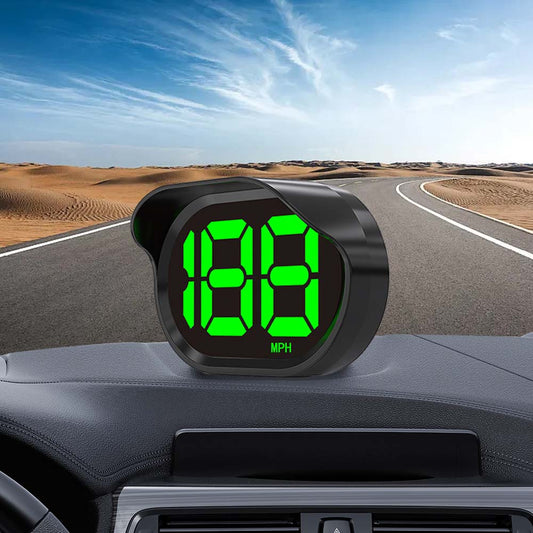
An OBD2 gauge reads supported data from your vehicle's onboard computer. A GPS speedometer calculates speed using satellite signals and generally does not require an OBD2 connection.
If you mainly need a separate digital speed display, a GPS speedometer may be an alternative for older vehicles or vehicles with incompatible OBD2 systems. If you want engine information such as RPM and coolant temperature, an OBD2 gauge may be more suitable.
Find the Right OBD2 Gauge with KUOWEIHUD
If your OBD2 gauge display is not working, start by checking the connection, power supply, compatibility, and device settings. Always follow the manufacturer's instructions and verify supported features before purchasing a replacement.
Explore KUOWEIHUD OBD2 Speedometer Gauges and digital speedometers to find a display that fits your vehicle and driving needs.