The Best Plug-and-Play GPS Head Up Displays for Any Vehicle: A Complete Guide
Share
Modern drivers want more than just a way to get from point A to point B. They want safer, smarter, and more convenient driving experiences. However, upgrading to a new vehicle with advanced technology—such as built-in navigation, digital dashboards, and advanced driver displays—can be expensive.
That’s where a plug-and-play GPS Head Up Display (HUD) comes in.
A GPS HUD display brings important driving information directly into your line of sight, including real-time speed, driving time, navigation data, and safety alerts. Best of all, it can be installed in almost any vehicle without replacing your factory dashboard.
In this guide, we’ll explain what makes a great plug-and-play GPS HUD, the benefits of using one, and why it has become one of the most popular car upgrades for modern drivers.
What Is a Plug-and-Play GPS Head Up Display?
A plug-and-play GPS Head Up Display is an aftermarket device that projects essential driving information onto a transparent display or windshield, allowing drivers to check important data without looking down at the dashboard.
Unlike factory-installed HUD systems, aftermarket GPS HUD displays are designed for easy installation. Most models only require:
- Connecting the device to your vehicle’s power supply
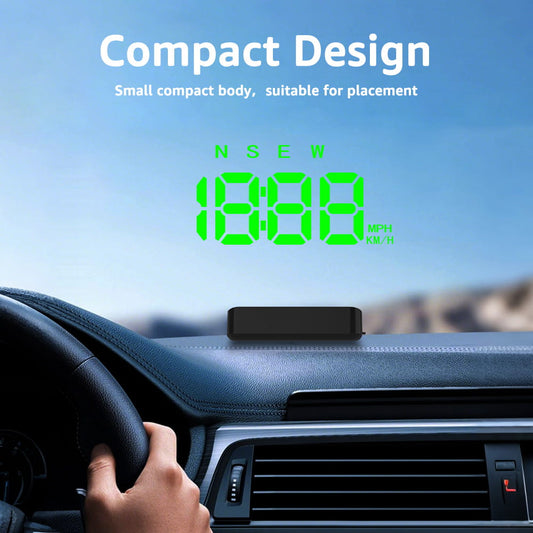
- Placing the display on the dashboard
- Adjusting the viewing angle
- Starting your drive
No complicated wiring, professional installation, or dashboard modifications are required.
This makes GPS HUD displays an ideal upgrade for:
- Older cars without digital displays
- Trucks and SUVs
- Classic vehicles
- Daily commuter vehicles
- Fleet and work vehicles
Why Choose a Plug-and-Play GPS HUD Display?
1. Easy Installation Without Vehicle Modification
One of the biggest advantages of a plug-and-play GPS HUD is its simple setup.
Traditional vehicle upgrades often require:
- Removing dashboard panels
- Installing new wiring
- Visiting a professional installer
- Spending hundreds of dollars
A GPS HUD eliminates these problems.
Most GPS HUD devices use a USB or cigarette lighter power connection and can be installed within minutes. You can upgrade your driving experience without changing your vehicle’s original design.
2. Keep Your Eyes on the Road
Driver distraction is one of the biggest safety concerns today.
A GPS Head Up Display helps reduce unnecessary dashboard checking by showing important information directly in front of you.
Depending on the model, you can view:
- Current speed
- GPS speed
- Driving time
- Mileage information
- Speed warnings
- Compass direction
- Voltage monitoring
- Fatigue driving reminders
With information positioned closer to your natural field of vision, you can spend less time looking away from the road.
3. Works With Almost Any Vehicle
A major benefit of GPS HUD technology is compatibility.
Unlike OBD-based displays that may depend on your vehicle’s computer system, GPS-based HUD displays receive speed information directly from GPS satellites.
This means they can work with:
- Gasoline vehicles
- Electric vehicles
- Hybrid vehicles
- Older vehicles
- Imported vehicles
- Cars without OBD support
Whether you drive a 10-year-old sedan or a newer SUV, a GPS HUD can provide modern driving information.
GPS HUD Display vs Factory Built-In HUD: Which Is Better?
Many luxury vehicles offer built-in head-up displays, but they come with limitations.
| Feature | Factory HUD | Plug-and-Play GPS HUD |
|---|---|---|
| Installation | Requires vehicle purchase | Installs in minutes |
| Cost | Expensive upgrade | Affordable |
| Vehicle compatibility | Limited | Works with most vehicles |
| Replace vehicle needed | Yes | No |
| Easy to move between cars | No | Yes |
For many drivers, an aftermarket GPS HUD provides the best balance between technology, affordability, and convenience.
Key Features to Look for in the Best GPS Head Up Display
Not all HUD displays are the same. Before buying, consider these important features.
1. Accurate GPS Speed Display
A good GPS HUD should provide accurate real-time speed information.
This is especially useful for:
- Vehicles with inaccurate factory speedometers
- Older cars
- Drivers who want better speed awareness
A high-quality GPS speedometer can help drivers maintain safer speeds and avoid unexpected speeding tickets.
2. Clear and Bright Display
The best HUD displays should remain visible in different lighting conditions.
Look for:
- High-brightness screens
- Adjustable brightness settings
- Clear digital numbers
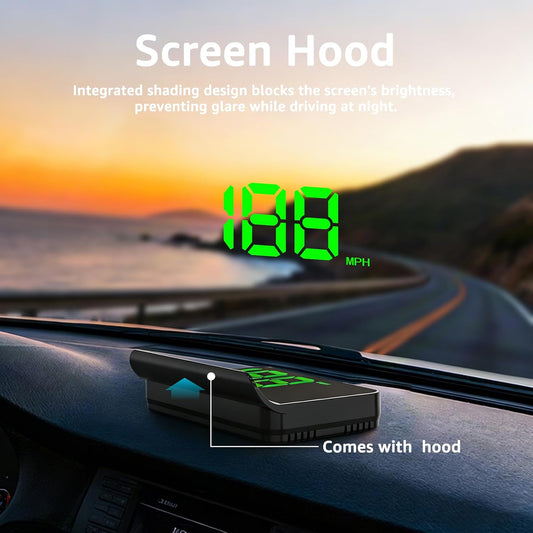
- Anti-glare design
A clear display ensures you can easily read information during both daytime and nighttime driving.
3. Speed Warning Alerts
A built-in speed alarm is a useful safety feature.
Drivers can set a speed limit, and the HUD will provide a reminder when they exceed that limit.
This feature is helpful for:
- Highway driving
- Long-distance trips
- Family vehicles
- New drivers
4. Additional Driving Information
Premium GPS HUD displays provide more than just speed.
Advanced models may include:
- Mileage tracking
- Driving time
- Compass direction
- Altitude information
- Voltage monitoring
- Fatigue reminders
These extra features turn a simple display into a complete driving assistant.
Best Plug-and-Play GPS HUD Display for Any Vehicle
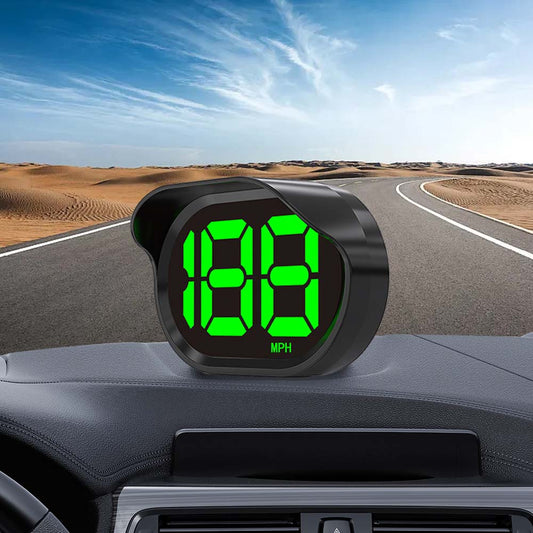
For drivers looking for an easy upgrade, the KUOWEIHUD GPS Head Up Display series provides a simple solution for adding smart driving features to almost any vehicle.
KUOWEIHUD GPS HUD displays are designed with:
- Plug-and-play installation
- GPS-based speed measurement
- Clear digital display
- Speed warning functions
- Compatibility with a wide range of vehicles
Popular options include:
KUOWEIHUD K1 GPS Head Up Display
A simple and affordable HUD upgrade for drivers who want a clean digital speed display without complicated installation.

How to Install a Plug-and-Play GPS HUD Display
Installation is usually completed in a few simple steps:
Step 1: Choose the Display Location
Place the HUD on your dashboard where it is easy to see without blocking your view.
Step 2: Connect Power
Plug the device into your vehicle’s USB port or 12V power outlet.
Step 3: Wait for GPS Signal
Allow the device to connect with GPS satellites.
Step 4: Adjust Settings
Set:
- Speed unit (MPH/KMH)
- Brightness
- Speed warning limit
That’s it—your vehicle now has a modern digital driving display.
Who Should Buy a GPS Head Up Display?
A plug-and-play GPS HUD is a great choice for:
Older Car Owners
Upgrade your vehicle with modern digital features without replacing the dashboard.
Long-Distance Drivers
Monitor speed and driving information more comfortably during road trips.
Classic Car Enthusiasts
Add modern technology while keeping the original interior design.
Safety-Conscious Drivers
Reduce dashboard distractions and improve speed awareness.
Drivers Without Built-In Navigation
Add smart driving information without expensive upgrades.
Final Thoughts: Upgrade Any Vehicle with a GPS HUD Display
A plug-and-play GPS Head Up Display is one of the easiest ways to modernize your driving experience.
Instead of spending thousands on a new vehicle with advanced technology, a GPS HUD can provide many of the same benefits at a fraction of the cost.
With easy installation, wide vehicle compatibility, and useful driving information, a GPS HUD display is becoming an essential car gadget for drivers who want safer and smarter journeys.
Whether you drive a daily commuter, SUV, truck, or classic vehicle, a GPS Head Up Display can transform the way you drive.